
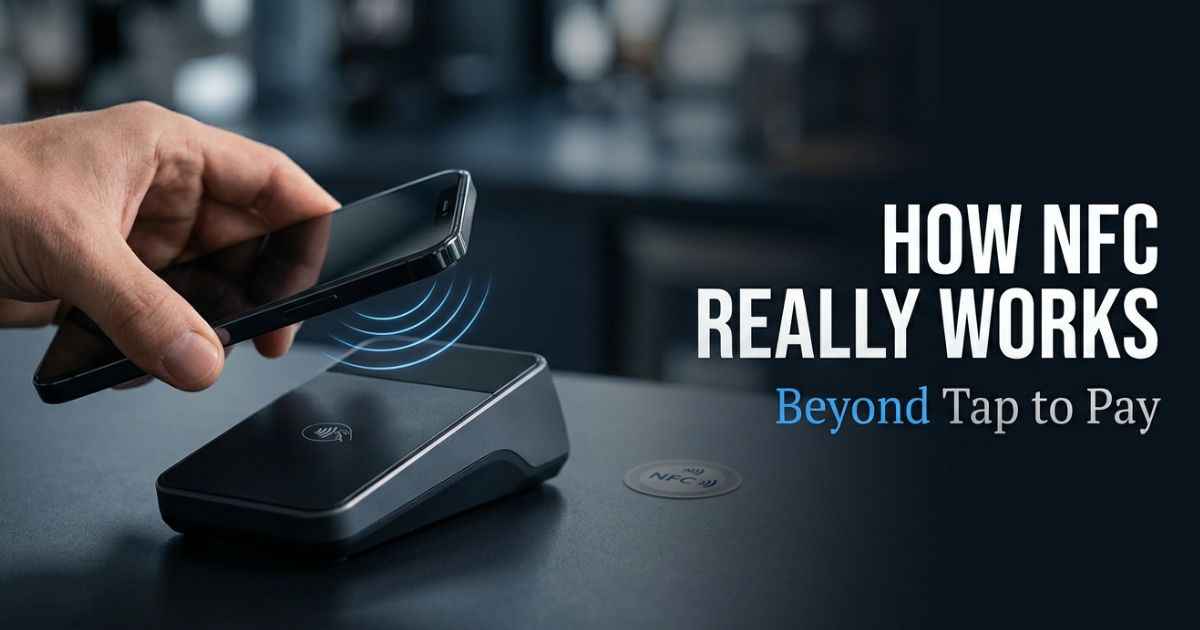
NFC technology lets two devices share small bits of information when they are very close. NFC stands for Near Field Communication. If you have ever tapped your phone on a payment terminal, you have likely used it.
So what is NFC technology, in plain terms? It is a short-range wireless link. The tap itself does not need Wi-Fi or mobile data. This guide shows how it works, what it is used for, and what it cannot do.
How Does NFC Technology Work?
NFC uses an invisible energy field. One device makes the field, and a device nearby picks it up. The science behind this is called electromagnetic induction.
NFC works at a radio frequency of 13.56 MHz. MHz means megahertz, a way to measure radio waves.
Here is the basic process:
- An NFC reader, such as a payment terminal, makes an electromagnetic field.
- A nearby passive tag can take energy from that field.
- The two devices swap information using the rules they both support.
How NFC Uses Electromagnetic Fields
RFID stands for radio-frequency identification. NFC is closely related to RFID and builds on contactless smart-card technology. Unlike basic RFID systems, NFC devices can also communicate with each other.
NFC adds rules for how compatible devices talk to each other. The NFC Forum is the industry group that works on these rules and on making devices work together.
What Are Active and Passive NFC Devices?
An active device makes its own field. An NFC reader, such as a payment terminal, creates an electromagnetic field. A phone can act as a reader, or it can respond like a contactless card. It depends on the operating mode.
A passive device does not make its own field. An NFC tag is a common example. Motorola explains that a passive tag draws energy from an active device. That is why some tags work without a battery.
How Far Can NFC Communicate?
NFC works over a very short distance, usually a few centimeters. Sources give different numbers:
- The NFC Forum says the typical range is up to 2 cm.
- Android says 4 cm or less.
- Samsung’s Galaxy guide says up to 4 cm.
- STMicroelectronics describes NFC communication up to 10 cm.
So 4 cm is a common figure, but it is not a promise for every phone and tag.
The NFC Forum lists data rates from 46 kbit/s to 1.7 Mbit/s for its technology specifications. These are small amounts of data per second. NFC is built for short exchanges, not big files.
What Is NFC Technology Used For?
Most people know NFC from paying with a phone. It does more than that. The NFC Forum points to payments, NFC tags, digital keys, smart devices, and device connections.
Contactless Payments
This is the best-known use. Apple Pay, Google Wallet, and Samsung Wallet are examples of mobile payment apps. When you tap, your phone acts like a contactless card.
Some mobile payment systems use a secure element, a protected chip, to protect payment credentials. Apple Pay stores a device-specific account number in this protected chip. Android also supports host-based card emulation, which does not require a secure element. The Secure Technology Alliance explains more in its NFC guide.
Apple says in-store payments can process without Wi-Fi or cellular service after setup.
Public Transportation and Digital Tickets
Several sources list transit and ticketing as common uses. Android notes that a phone can read some travel cards. Motorola also lists ticketing.
Smart Access Cards and Digital Keys
The NFC Forum names digital keys as a use. STMicroelectronics also lists access control. In these cases, a tap acts like showing a key or a badge.
NFC Tags and Smart Posters
An NFC tag is a small chip, often built into a sticker or card. It holds a little information. You scan it with your phone. A smart poster is one example. Scanning it can show you information.
Tags differ in how much they can hold. NXP lists NTAG213, NTAG215, and NTAG216 chips with 144, 504, and 888 bytes of user memory.
Connecting Headphones and Other Devices
NFC can start a connection without manual Bluetooth-style pairing, according to the NFC Forum. Motorola lists Bluetooth pairing as one NFC use. Android also mentions compatible accessories.
Smart Home Automation
Lenovo explains that NFC can run shortcuts or workflows on a phone. It also covers connected devices. Real users do this too, which you can read about in the tag section below.
What Are the Three Main NFC Operating Modes?
NFC has three main data communication modes: reader/writer, card emulation, and peer-to-peer. NFC Forum also supports a separate wireless charging mode.
| Mode | What it does | Real example |
|---|---|---|
| Reader/writer | Reads or writes information on NFC tags | Scanning a smart poster |
| Card emulation | Makes a phone act like a contactless card | Mobile payment |
| Peer-to-peer | Lets two compatible active devices exchange data | Device-to-device communication |
Reader/Writer Mode
Your phone reads a tag, or writes new information onto it. This is the mode you use with NFC stickers.
Card Emulation Mode
Your phone pretends to be a contactless card. A payment terminal reads it like a card.
Peer-to-Peer Mode
Two active devices swap data. Be careful here. Android deprecated Beam in Android 10. Phone makers could still keep it as an optional feature, but Android no longer actively develops it.
NFC vs. Bluetooth vs. RFID: What’s the Difference?
Is NFC just Bluetooth? No. They do different jobs. NFC can even help set up a connection, so you do not pair by hand.
| Technology | How it relates to NFC |
|---|---|
| NFC | Very short range, small data exchanges, works without Wi-Fi or mobile data |
| Bluetooth | A separate wireless link. NFC can help start a connection without manual pairing |
| RFID | Closely related to NFC. NFC builds on contactless smart-card technology |
| Wi-Fi | A separate network link. NFC is not a replacement for Wi-Fi |
The main point is simple. NFC is for quick taps at close range. It is not made for large file transfers.
How to Use NFC on Your Smartphone
How to Check If Your Phone Has NFC
Do not assume every phone has NFC. Do not assume every NFC phone supports every NFC feature. Check your exact model and region on the maker’s support page.
Samsung lists NFC support for Galaxy S24, S25, and S26 models, along with selected Z Fold, Z Flip, and A-series phones. Support varies by model and region, so check Samsung’s compatibility list. Other brands have their own lists.
How to Turn On NFC on Android
Android has a guide on turning on NFC settings for contactless payments. Samsung and SamMobile also have guides. Menu names can change from phone to phone. Follow the guide for your model.
How to Use NFC on an iPhone
Apple’s developer documentation says supported iPhones can read NFC tags in the background. They then show a notification. Apple names iPhone XS and later for this feature.
How to Make a Contactless Payment
First, set up a payment app, such as Google Wallet, Apple Pay, or Samsung Wallet. Android’s guide covers payment setup. Then bring your phone close to the terminal.
Not sure where to tap? The NFC Forum has a guide on locating the tap spot on your phone.
What Can You Do With NFC Tags?
An NFC tag is a small chip, often built into a sticker or card. Basic tags can be inexpensive, but prices vary by type and quantity. People are not always sure what to do with one. One Reddit user in r/NFC said they bought a tag and had no idea how to use it. Other users in these threads shared real ideas:
- Share Wi-Fi details. One user hid a tag behind a hallway picture frame for this.
- Open a website or link to a YouTube video.
- Start a five-minute timer.
- Run a bedtime routine or a smart-home scene.
- Set a reminder, such as one for the washing machine.
- Trigger garage-door automation with Home Assistant.
Not sure what is on a tag? Users suggested NFC Tools or NXP TagInfo to identify it.
Where do you stick them? Users mentioned fridge magnets, decorative objects, and bedside tables. One person asked for ways to avoid a “boring NFC button on the wall.”
Tags are not for everyone. One Reddit user bought a pack of 50 NFC tags. In a separate discussion, another user said they had placed several tags around the house but used only one. You do not need tags to use tap to pay.
Also remember that a tag’s action may need the internet. The tap does not, but a website it opens does.
Is NFC Technology Safe?
NFC has useful protections, but it is not risk free. Do not read “short range” as “completely secure.”
Why NFC’s Short Range Helps
The Secure Technology Alliance says the short distance reduces the chance of unwanted contact. That is a real benefit. It is not a guarantee against every attack.
NFC Payment Security
Some mobile payment systems use a secure element to protect payment credentials. Not every NFC use needs the same level of protection. A payment needs more than a simple tag does.
Possible NFC Security Risks
Techopedia lists these risks:
- Eavesdropping, which means someone listens in on the signal
- Data tampering
- Relay attacks
- Unauthorized transactions
- Lost or stolen devices
How to Use NFC More Safely
Use payment apps that rely on built-in protections like a secure element. Treat your phone like a wallet, since lost or stolen devices are a listed risk. Keep your phone’s software up to date, because security advice changes as standards and protections change.
What Are the Advantages and Disadvantages of NFC?
Advantages
- Short range reduces unwanted contact.
- It can set up connections without manual Bluetooth-style pairing.
- The tap itself does not need Wi-Fi or mobile data.
- Some tags work without a battery.
Disadvantages
- Range is very short, usually a few centimeters.
- It is built for small data exchanges, not large files.
- Phone features differ by model, region, and software.
- It carries some security risks.
- Tags may add little value if you do not have clear uses for them.
Why Is NFC Not Working on My Phone?
A failed tap does not always mean the NFC hardware is broken. The problem can sit in several places. These notes are individual reports, not proof of a general fault.
NFC Is Turned Off
Check your phone’s NFC setting first. Google Wallet Community answers suggest checking NFC settings, the payment app, and device compatibility.
Phone Position or Reading Distance
Range is only a few centimeters. If the phone is too far away, nothing happens. A Pixel 11 Pro XL owner on Reddit said that most of the time there was “no reaction at all” at the terminal.
Phone Case or Antenna Position
The same Reddit user said Google support considered their phone case too thick. That is one person’s support experience. It does not prove cases block NFC in general. Try the phone without the case, and find the tap spot for your model.
Payment App or Card Setup
One Google Wallet Community user said a payment was “auto rejected by the terminal.” Their physical card still worked at the same terminal. Payment failures can have several causes. Check NFC settings, your default payment app, card setup, screen lock, and device security requirements before blaming the NFC hardware.
Software or Device Compatibility Issues
Check that your phone model supports the feature you want. Software updates can also change how features behave.
Current Checks
These details can change, so review them from time to time.
| Item | What to check |
|---|---|
| Phone support | Confirm your exact model and region before you rely on NFC |
| iPhone tag reading | Apple names iPhone XS and later for background tag reading |
| Android Beam | Android deprecated Beam in Android 10. Phone makers could still keep it as an optional feature, but Android no longer actively develops it |
| Payment apps | Check Google Wallet, Apple Pay, or Samsung Wallet support for your device |
| NFC settings | Menu names can change after software updates |
Frequently Asked Questions About NFC Technology
What is NFC technology used for?
NFC is used for contactless payments, transit and tickets, digital keys, and NFC tags. It also helps connect devices and run phone shortcuts.
Is NFC just Bluetooth?
No. They are different wireless technologies. NFC works over a few centimeters and can start a connection without manual Bluetooth-style pairing. It is not built for large files.
Does NFC require an internet connection?
The NFC tap itself does not need Wi-Fi or mobile data, according to STMicroelectronics. But the action a tag starts may need the internet. Opening a website is one example.
Does NFC drain your phone battery?
SamMobile discusses this question. The sources we reviewed did not give a measured battery figure. So we cannot give a percentage.
Can all smartphones use NFC?
No. Hardware and features differ by model, region, and software. Check your exact phone on the maker’s support page.
How far does NFC work?
Usually a few centimeters. The NFC Forum says up to 2 cm. Android and Samsung say about 4 cm. STMicroelectronics says up to 10 cm.
Why is NFC tap to pay not working?
Common causes include NFC being off, the phone being too far from the terminal, or a payment app problem. A phone case may matter in some cases. One user also saw a payment rejected by the terminal while their card worked.
You May Find These Interesting:
How Does eSIM Work? A Beginner’s Guide
What Is a Semiconductor? How It Works, Types and Uses